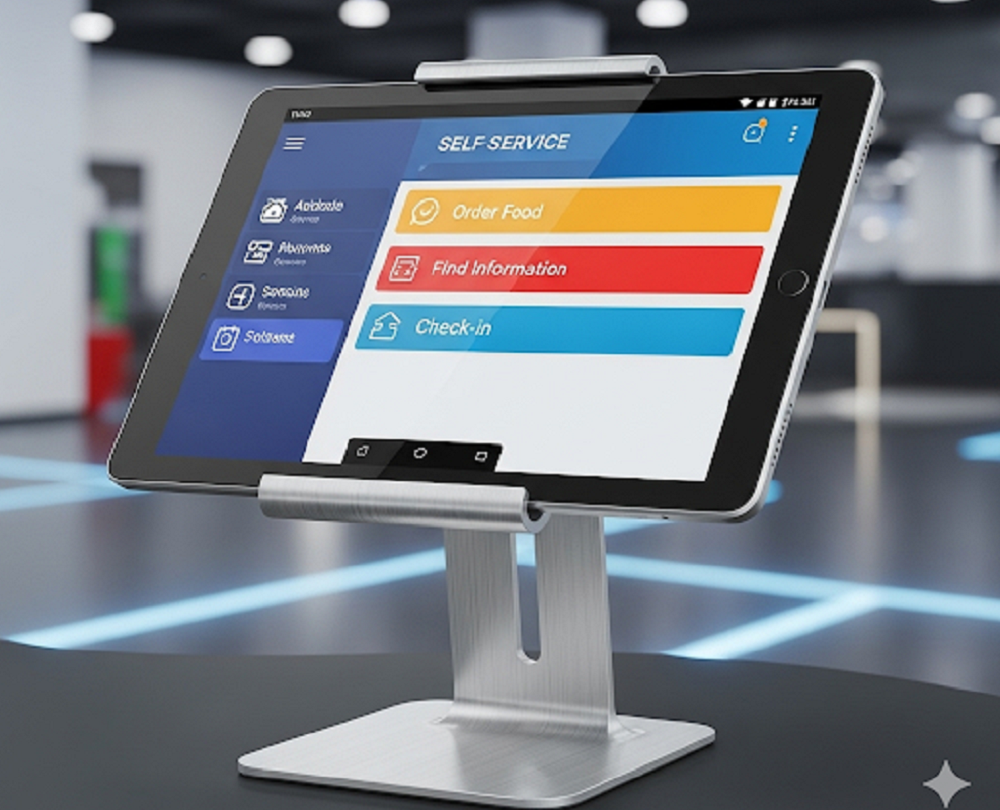
If you’ve walked into a retail store, a café, or even a hospital recently, you’ve probably noticed a growing trend: self-service kiosks. These digital stations let people order food, check in for appointments, or look up information without waiting in line for staff assistance.
What’s interesting is that in 2025, many of these kiosks aren’t expensive, bulky machines anymore. Instead, they’re often just Android tablets running in kiosk mode—a simple, cost-effective way for businesses to offer self-service experiences.
What Is a Self-Service Kiosk?
A self-service kiosk is simply a digital screen—often touch-enabled—that allows people to complete tasks independently. Think of:
- Airport check-in counters
- Supermarket self-checkouts
- Digital ordering systems at restaurants
- Information displays at events or universities
The big difference between a kiosk mode and a normal tablet is control. A kiosk tablet is locked into a single app kiosk mode or function so customers can only do what it’s intended for, with no distractions or room for misuse.
Why Are Android Tablets So Popular for Kiosks?
Businesses often ask, “Why use a tablet instead of buying a dedicated kiosk machine?” The answer usually comes down to cost, convenience, and flexibility.
- Affordable: Tablets are much cheaper than custom kiosk hardware.
- Flexible: The same tablet can work in retail, healthcare, education, events, or hospitality.
- Familiar: Most people already know how to use Android, so there’s almost no learning curve.
- Portable: Unlike heavy kiosks, tablets can be mounted, moved, or repurposed easily.
- Scalable: Whether you need one kiosk or one hundred, tablets can be rolled out quickly.
How to Turn an Android Tablet Into a Kiosk
The process is surprisingly straightforward. You don’t need coding skills or advanced IT knowledge to set it up.
- Pick your app or service. This could be a check-in app, ordering system, or digital catalog.
- Enable kiosk mode (or screen pinning). This locks android tablet so customers can’t exit the app.
- Physically secure the device. Use a stand, wall mount, or enclosure to keep it stable.
- Ensure power and internet connectivity. This avoids downtime or interruptions.
- (Optional) Use a mobile device management (MDM) tool if you’re deploying multiple kiosks and want remote control.
That’s it. Your Android tablet is now a dedicated kiosk.
Where Are Tablet Kiosks Being Used?
Tablet kiosks are showing up almost everywhere:
- Retail: Self-checkout stations, loyalty sign-ups, product catalogs
- Healthcare: Patient check-ins, appointment scheduling, hospital directories
- Restaurants & Cafes: Digital menus, self-ordering kiosks, quick feedback forms
- Events: Guest registrations, ticket scanning, interactive agendas
- Education: E-learning hubs, library searches, digital notice boards
The variety of use cases makes Android tablets a go-to option for businesses that want to adopt self-service without investing in bulky hardware.
Features That Make a Good Tablet Kiosk
Not all kiosk setups are created equal. The best ones usually have:
- Full-screen display to keep customers focused
- Password/app lock for security
- Auto-restart or auto-launch so the kiosk runs smoothly after reboots
- Simple, intuitive design that anyone can use without guidance
- Accessibility features like larger text and buttons for better usability
Pros and Cons of Tablet-Based Kiosks
Like any technology, tablet kiosks have strengths and limitations.
Pros:
- Cost-effective
- Easy to set up and manage
- Flexible across industries
- User-friendly
Cons:
- Less durable than industrial-grade kiosks
- May require extra physical security
- Not ideal for very high-traffic or rugged environments
Are Tablets a Long-Term Kiosk Solution?
For small to medium businesses, events, or even large organizations wanting a quick deployment, Android tablets work extremely well as kiosks. They’re cost-effective, scalable, and easy to manage.
That said, in environments where kiosks face constant heavy use—like airports or subway stations—businesses may eventually upgrade to dedicated kiosk hardware. Still, tablets remain an excellent entry point that lowers barriers to adopting self-service technology.
Final Thoughts
The rise of self-service is only accelerating, and Android tablets are at the heart of it. They make it simple for any business—whether it’s a café, a hospital, or a retail chain—to create kiosks that improve efficiency and customer experience.
In 2025 and beyond, expect to see even more tablets powering the kiosks around you. They’ve proven to be one of the most practical, scalable, and accessible ways to bring self-service to life.
FAQs
Can I use an Android tablet as a kiosk?
Yes. By enabling kiosk mode or screen pinning, you can lock a tablet to one app or service.
What is kiosk mode on Android?
It’s a feature that restricts the device to a single app, preventing users from exiting it.
Are tablet kiosks secure?
Yes, when combined with app locking, password protection, and physical enclosures.
What are the benefits of tablet kiosks?
They’re affordable, flexible, easy to set up, and familiar to most users.