The shift to remote work has significantly transformed the professional environment. The home office, to many, represents a new frontier of flexibility and convenience, and it promises relief to the everyday commute and the strictures of traditional corporate space.
However, this shift has also created a silent epidemic which is a massive ergonomic crisis that is affecting the physical health of remote employees. Although the mental and social implications of working at home have been extensively covered, the serious and frequently long-term physical consequences of improper home office environments are frequently overlooked.
The Core of the Crisis: Physical Health Hazards Unpacked
The comfort of the home setting, where there are sofas and impromptu desks, is hardly ever suited to prolonged professional performance. This mismatch between the purpose and design is the main cause of the ergonomic crisis.
Remote workers are left to grapple with a set of physical ailments because of lack of standardized, adjustable furniture and professional support that is present in a typical office. Being aware of and dealing with these physical health challenges should be the major concern of the person who works at home.
Let’s take a closer look at the causes of these health risks, the practical ways that employees and employers can reduce these risks, and the important critical link between physical well-being and professional performance.
The Silent Threat of Poor Posture
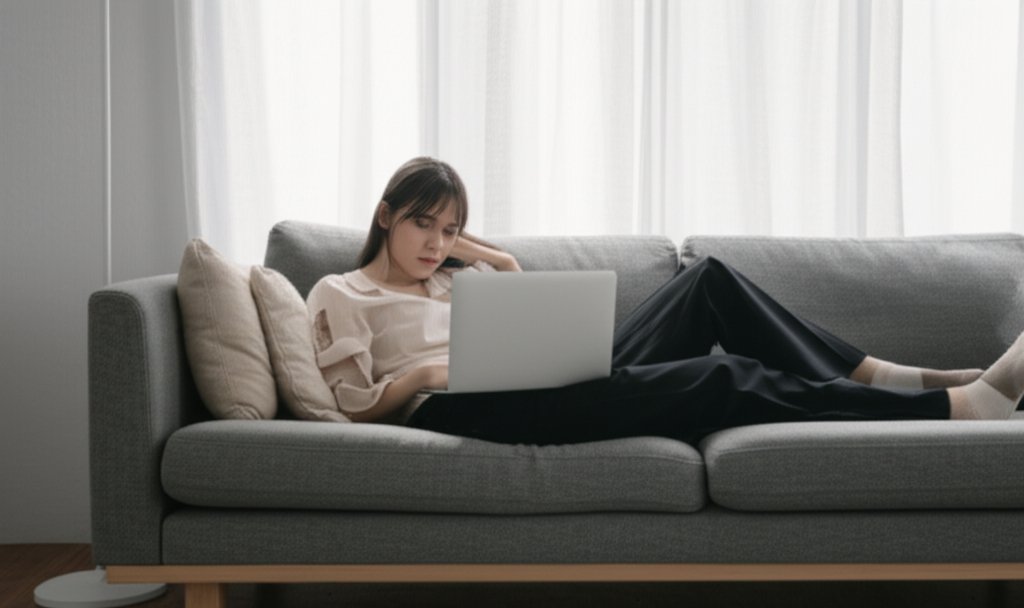
Maybe the most widespread is the bad posture. The typical working positions include working hunched over a laptop on a kitchen table, slouching on a sofa with a device on your lap or putting a monitor on a pile of books. This incorrect posture exerts unhealthy pressure on the spine, neck and shoulders.

This may eventually result in chronic lower back pain, neck stiffness, or the constant forward tilt of the head. The spine of human beings is an intricate system that is meant to stabilize the body at a neutral and balanced stance. Spending hours every day outside this natural curve flattens discs, stretches muscles and can cause degenerative disorders.
Repetitive Strain Injuries (RSIs) and the Unsuitable Setup
Other than posture, long workdays using standard consumer electronics are one of the primary causes of repetitive strain injuries (RSIs). Such diseases as carpal tunnel syndrome, tendinitis, and cubital tunnel syndrome are developed as a consequence of repetitive movements that irritate muscles, tendons, and nerves.
An example of a non-ergonomic mouse is that it causes the wrist to sit in an unnatural position, and typing eight hours a day on a laptop keyboard can place a lot of strain on the wrists and fingers. Inadequate support of the forearms and wrists, as well as improperly fitting equipment, creates a perfect storm in these painful and, in many cases, debilitating conditions.
The Sedentary Trap
The third greatest risk is the sedentary nature of remote work. The natural interruptions of a typical office, walking to a meeting room, a coffee station, or a colleague to the desk, are absent; therefore, workers can spend all day sitting at a single location.
Sitting long periods is one of the well-documented health risks, and it is a precursor to a large number of severe health conditions, including cardiovascular disease, diabetes, and obesity. It retards metabolism, debilitates muscles and decreases blood flow. It is also one of the most dangerous sedentary traps, as it can easily seem more productive to sit through hours of work as an intense focus, yet in truth, it is a major negative factor in physical and mental health.
Building a Resilient Workstation: Actionable Ergonomic Guidance
The positive side is that these problems can be mostly avoided through conscious effort and appropriate adjustments. The first and most important step in alleviating them is to take a proactive approach to improving your workspace.
The Foundation: The Chair and Desk
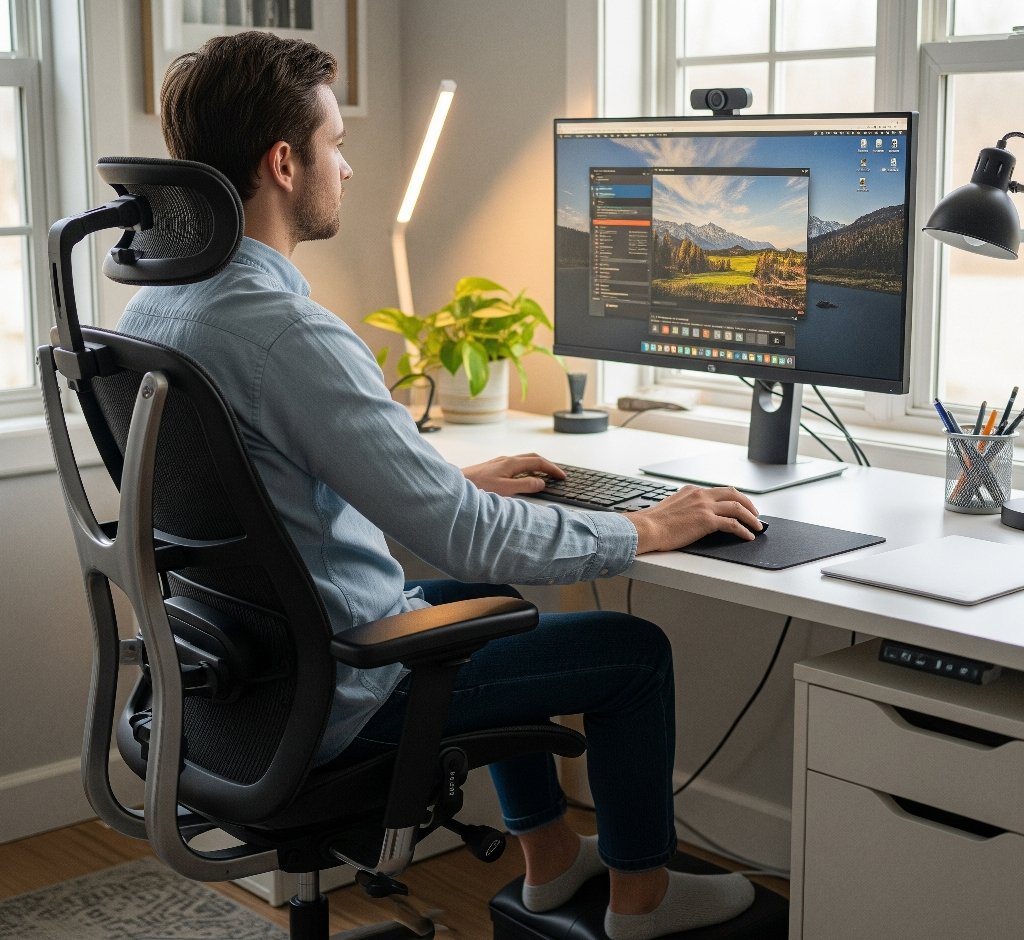
Your chair and desk are by far the most significant parts of your ergonomic puzzle. An ergonomic chair is supposed to offer complete support. It must have an adjustable seat so that your feet can be flat on the ground or on a footrest and knees at 90 degrees. Your backrest must be able to take the shape of your spine, particularly the lumbar. When you are typing, your elbows should be at a 90-to-110-degree angle, which means that your shoulders are relaxed and your wrists are neutral. In case a height-adjustable desk is not available, a laptop stand can be used to elevate your screen with a separate keyboard and mouse.
The Peripherals: Maximizing the Screen, Keyboard and Mouse
When you have established the foundation, work on your peripherals. Your screen should be straight in front of you with the top of the screen at eye level or slightly below. This does not allow you to tilt your head up or down, which causes stress to the neck. When you are working with a laptop, a separate monitor or a laptop stand is not a negotiation.
In the case of keyboard and mouse, you should aim at keeping your wrists in a straight neutral position. Wrist strain can be minimized by using an external ergonomic keyboard that could be split or curved. Likewise, an ergonomic mouse like a vertical mouse can greatly reduce the strain that your wrist and hand are under. Place your mouse and keyboard near each other so that you can easily use them without straining your arms and elbows to your sides.
The Power of Movement: Incorporating Micro-Breaks
Even the best optimized setup is useless without frequent movement. The human body is not designed to stay in one position over a long time. Micro-breaks should also be incorporated into your day to avoid the sedentary trap. One commonly suggested guideline is the 20-20-20 rule: after 20 minutes, focus on something 20 feet away, at least 20 seconds. This little gesture avoids eye strain.

Other than eye breaks, take short breaks of five minutes every hour. Take this time to get up, stretch, and move around. A few neck, shoulder, wrist, and back stretches can do wonders. It might be a good idea to set a timer or an app that reminds you to take these breaks. Taking a brief stroll around the room or a visit to the kitchen can help to disrupt the stagnant sitting and get your blood circulating.
The Employer’s Role: Fostering a Culture of Well-being
Although personal responsibility plays a central role, employers must play a significant role in promoting the physical well-being of their remote workforce. Preemptive assistance not only shows an interest in the welfare of employees but also has a direct effect on the company because it leads to higher productivity, fewer cases of absenteeism, and employee retention.
The Case for Ergonomic Support
Employers ought to think about offering a stipend or a certain budget to employees so that they can buy necessary ergonomic items, including a decent office chair, external monitor, keyboard, and mouse. Professional ergonomic assessments, whether virtual or in-person, can assist in diagnosing and correcting the problems in personal setups before they cause injury.
Beyond Equipment: Policies and Culture
The support of the employer should not be limited to equipment. Flexible break policies can be implemented and communicated to introduce a culture of well-being within the companies. By getting employees to schedule time in their calendars to take breaks and move around, the act can be justified and eliminate any sense of guilt in leaving the desk. A healthy environment can also be promoted by encouraging wellness challenges, virtual stretch classes, or providing information on ergonomic best practices.
The Mind-Body Connection: How Physical Health Fuels Mental Performance
Our physical and mental health is intertwined. The ergonomic crisis directly and negatively affects mental performance and resilience. The pain and discomfort are chronic distractors, and it is hard to concentrate on complex activities. The lingering, nagging annoyance of a stiff neck or a sore back siphons mental energy that would have been available to solve problems and be creative.
On the other hand, a comfortable and supported body physically allows the mind to work to its best. Repeated motion and micro-breaks not only prevent physical discomfort but also act as a mental reset, decreasing stress and burnout.
Exercise also increases endorphins, which are the natural mood elevators, and increases blood flow to the brain, thereby stimulating the brain to think better. Ergonomic health is not only about injury prevention but also about the physical environment that allows, and even enables, the human mind to be resilient, productive and capable of job satisfaction.
Conclusion
The era of working at home is here to stay, however, the health risks that come with it do not need to. The ergonomic crisis is an issue that requires the joint effort on the part of remote employees and their employers.
With active participation in the optimization of personal working environments, the addition of regular movement, and the promotion and delivery of ergonomic assistance, we can turn the home office into a physical stress-free zone with the potential to be a health and productivity powerhouse. The intangible cost of remote work is not only an issue of convenience but a primary need to be able to sustain and enjoy a successful career in the contemporary world.