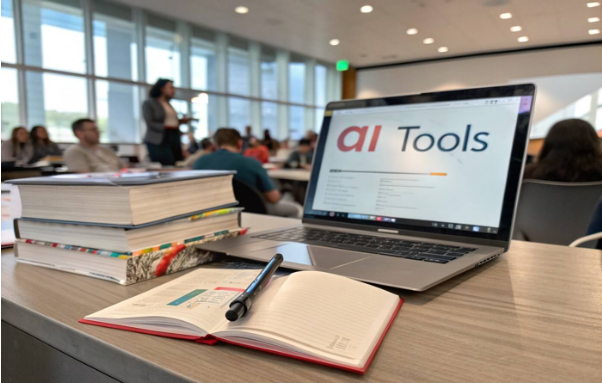
In recent years, Artificial Intelligence (AI) has revolutionized various sectors, and education is no exception. For students, AI tools offer innovative ways to enhance the quality and efficiency of presentations. This article delves into how AI can assist students in creating compelling presentations, focusing on popular AI presentation tools and their benefits.
Understanding AI Presentation Tools
AI presentation tools are revolutionizing the way presentations are created by utilizing artificial intelligence to simplify and enhance the process. These tools are designed to assist users, especially students, by automating tasks such as design, content generation, and data visualization, making presentation creation faster and more efficient.
What Are AI Presentation Tools?
AI presentation tools are software applications that leverage artificial intelligence to assist users in creating presentations. These tools can automate design processes, suggest content, and even generate entire slide decks based on user input. They aim to simplify the presentation creation process, making it more accessible and less time-consuming for students.
Now that we’ve covered what AI presentation tools are, let’s dive into the key features that make them so effective for users, especially students, in creating impactful presentations.
Key Features of AI Presentation Tools
AI technology is becoming increasingly popular in creating presentations, especially for students. These tools can significantly enhance both the efficiency and quality of the presentation process. Below are some key features that AI presentation tools offer to assist students.
Automation and Design Assistance
Many AI tools offer automated design features that adjust layouts, fonts, and colors to create visually appealing slides.
Content Generation
Some tools can generate text content based on prompts, helping students overcome writer’s block.
Data Visualization
AI can assist in creating charts and graphs from data, enhancing the presentation’s effectiveness.
Voice and Language Support
Advanced tools offer voice recognition and language translation features, catering to diverse student needs.
Popular AI Presentation Tools Platforms for Students
Several AI presentation tools have gained popularity among students for their user-friendly interfaces and robust features:
Canv
Offers an AI-powered presentation maker that generates slides based on user input. It’s known for its intuitive design and extensive template library.
Slidesgo
Provides an AI Presentation Maker that creates customizable templates in seconds, suitable for various topics and styles.
PopAi
A comprehensive AI-powered platform that offers an AI Presentation Maker designed to help students create professional presentations efficiently. PopAi’s standout feature is its one-click classroom presentation creation. This AI tool transforms simple text or topics into well-structured, visually appealing, and educational PowerPoint slides in seconds.
Beautiful.ai
Known for its smart slide layouts and design consistency, it helps students create professional presentations effortlessly.
Visme
Combines AI with a vast library of assets to create engaging presentations, infographics, and other visual content.
SlidesAI
Integrates with Google Slides to generate presentations directly from text prompts, streamlining the creation process.
Benefits of Using AI in Student Presentations
Enhancing Efficiency and Creativity
Utilizing AI tools can significantly reduce the time spent on designing and formatting presentations, allowing students to focus more on content creation. These tools also offer creative suggestions that students might not have considered, enhancing the overall quality of their presentations.
Overcoming Common Challenges
Addressing Potential Drawbacks
While AI tools offer numerous advantages, students should be aware of potential challenges:
- Over-reliance on Automation: Relying solely on AI can lead to generic presentations lacking a personal touch.
- Data Privacy Concerns: Using online AI tools may raise concerns about data security and privacy.
- Learning Curve: Some AI tools may have a learning curve, requiring time to master.
Best Practices for Integrating AI Tools
Maximizing the Potential of AI in Presentations
To effectively integrate AI tools into presentations, students should:
- Combine AI with Personal Input: Use AI for design and content suggestions, but add personal insights to make the presentation unique.
- Ensure Data Security: Opt for AI tools that prioritize user data privacy and security.
- Practice Using the Tools: Familiarize yourself with the AI tool’s features to utilize them effectively.
Embracing AI for Academic Success
AI presentation tools offer students innovative ways to enhance their presentations, making the process more efficient and creative. By understanding the features and benefits of these tools, students can leverage them to improve their academic performance and presentation skills.